Skip to content
recaplica

    One moment: security check

    Cloudflare wants to make sure you're not a robot. Tick the box below and your search will continue on its own.

    IT
    recaplica How the internet works: the journey of data from cable to page
    © 2026 Recaplica · recaplica.com — All rights reserved
    Home › Technology

    How the internet works: the journey of data from cable to page

    By Recaplica Newsroom · Updated on September 12, 2026

    What to print

    Page numbers appear when printing with default margins.

    Slides

    Choose a cut

    Flash10 slidesThe essential thread, to present in classFull17 slidesEvery chapter and the deeper detail

    Both come with speaker notes.

    Telegram channel
    recaplica Clear in 30 seconds, yours in 10 minutes.
    In 30 seconds Key points Figures Deep dive Slides Myths Mind map Quiz Flashcards FAQ

    In 30 seconds quick read

    The internet is a network of networks: independent networks — homes, schools, companies, carriers — that can talk to each other because they agreed on the same rules, the protocols. Anything you send is broken into packets, each carrying the address of its destination, and routers bounce them from network to network until they arrive. DNS translates the names we remember into the numeric addresses machines actually use, and underneath it all run physical cables, most of them lying on the ocean floor.

    Key Points

    • The internet is the infrastructure that connects networks; the web is just one of the services running on top of it.
    • Routers are the machines that hand data from one network to the next, reading the address written on every packet.
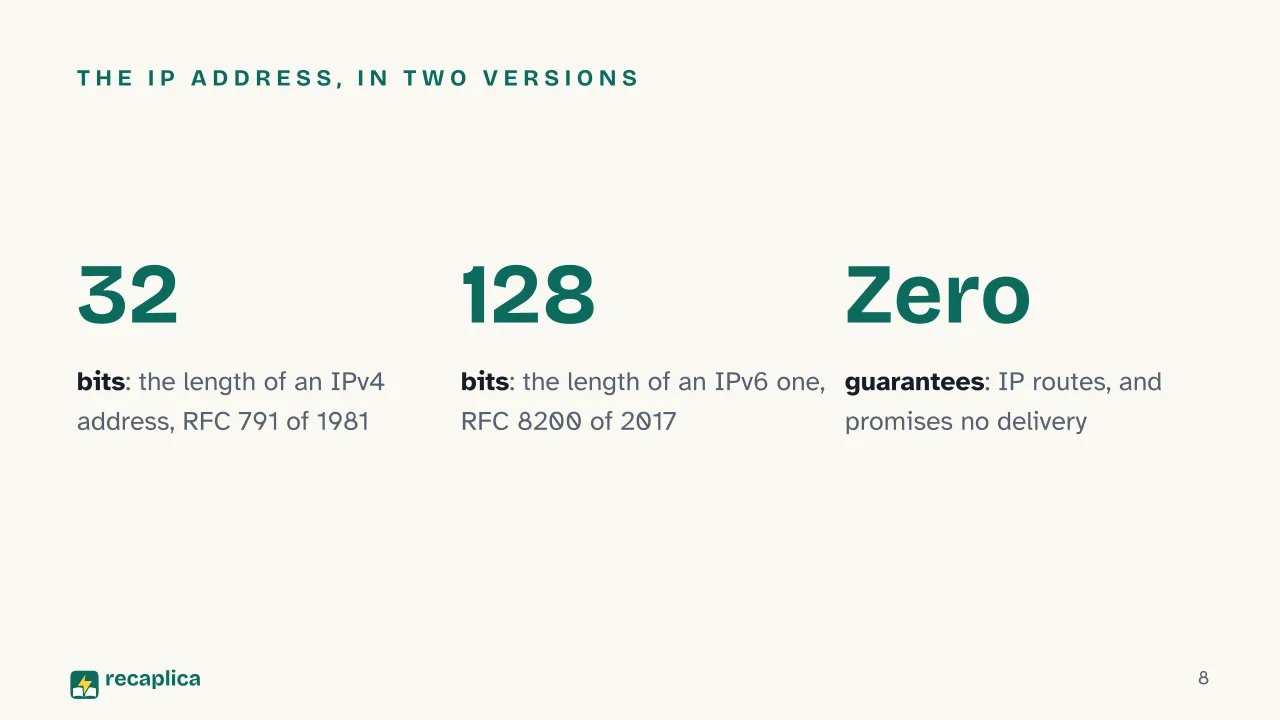
    • Every connected device has an IP address: 32 bits in the 1981 IPv4 version, 128 bits in IPv6.
    • DNS is the phone book that turns a name like recaplica.com into the matching numeric address.
    • IP delivers with no guarantees: TCP, the protocol above it, reorders the pieces and asks again for the ones that went missing.
    • The network is not in the air: traffic between continents travels inside optical fibres laid on the seabed.

    Key figures

    • 1.5 million km of submarine cables in service worldwide in early 2026, the physical backbone of traffic between continents Source: TeleGeography
    • 13 root authorities in the DNS, from letter A to M, served by hundreds of machines spread across many countries Source: IANA
    • 32 → 128 bits the length of an IPv4 address (RFC 791, 1981) and of an IPv6 one (RFC 8200, 2017) Source: IETF

    Deep Dive

    One second, and the page is there

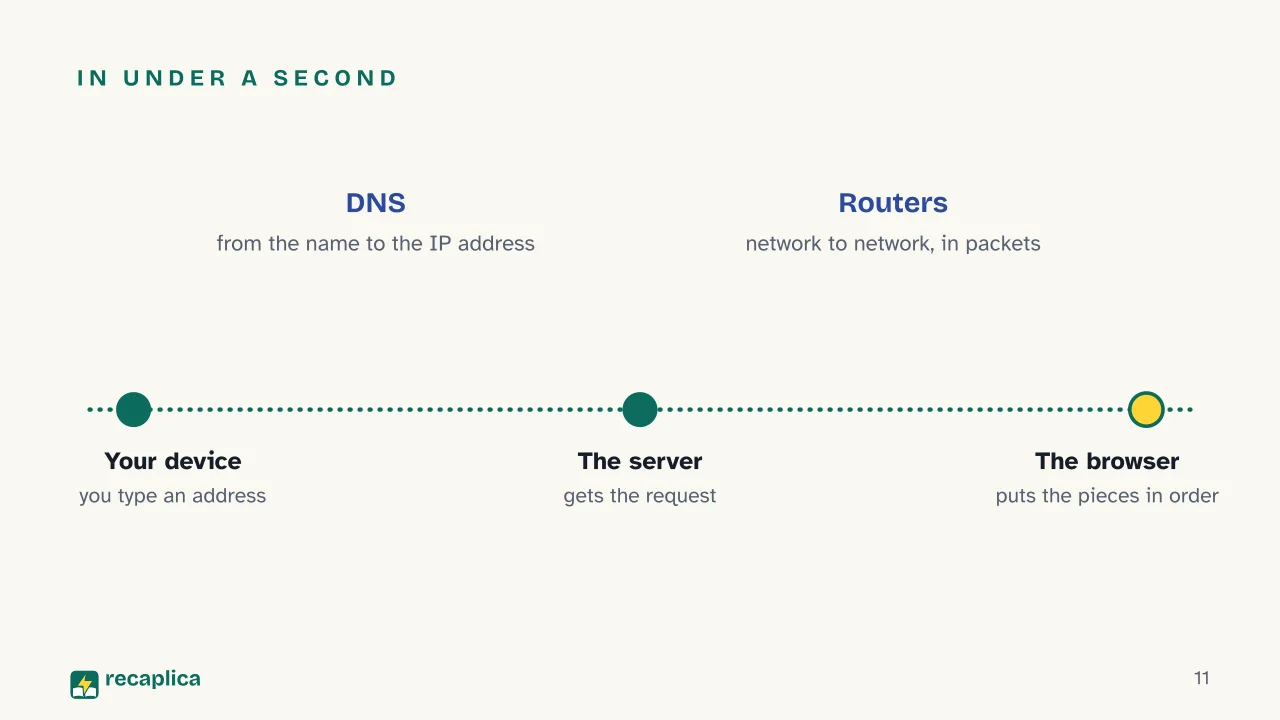
    You type an address, press Enter, and in under a second you are looking at a page that physically sits on the other side of the world. At least four distinct things happen in that second, and knowing them in order is the fastest way to understand everything else: your device finds out which number that name corresponds to, it opens a conversation with the machine at that number, the data is broken into packets that cross dozens of different networks, and the browser reassembles the pieces.

    Let’s take them one at a time.

    A network of networks, not a single network

    The internet is not one thing: it is the infrastructure that lets different networks — the one in your house, the one at your school, the one belonging to a Japanese carrier — talk to each other. The word says so: inter net, between networks.

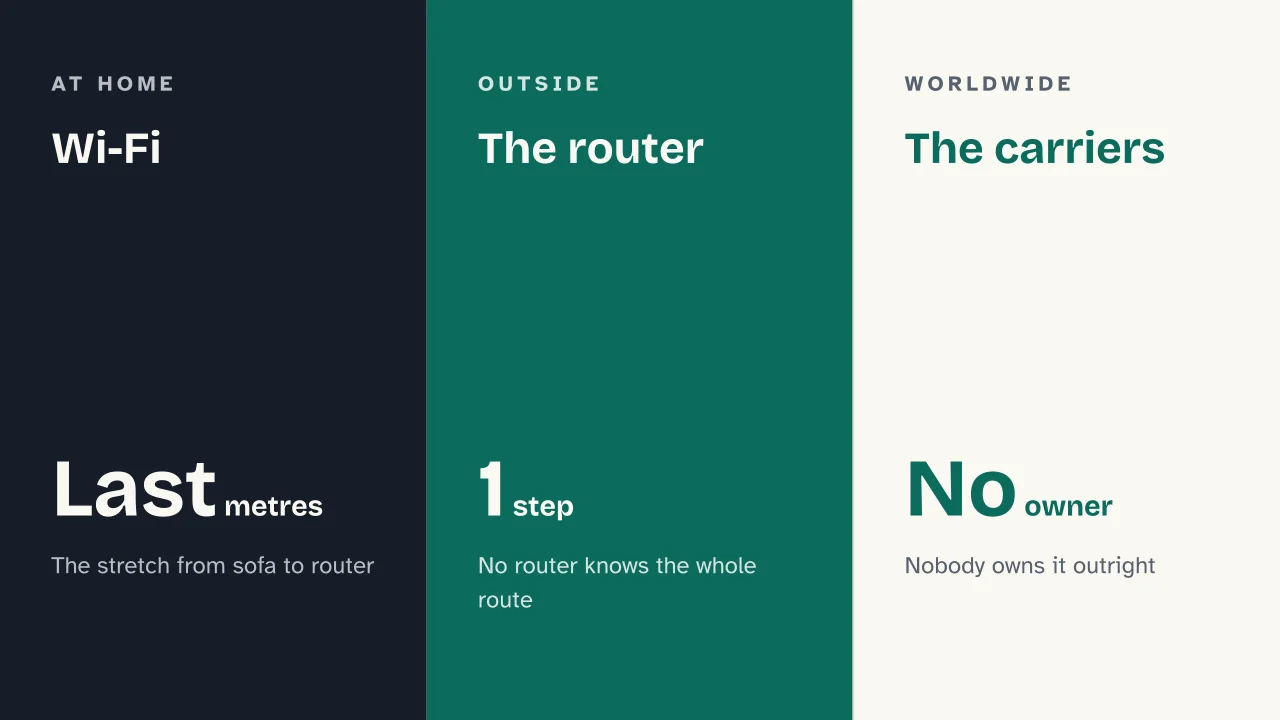
    The piece that makes the connection possible is the router. As the MDN documentation explains, it is a specialised computer with a single job: look at the address written on a data packet and pass it to the next network, the one that brings it closer to its destination. No router knows the whole route; each one knows only the next step. Your carrier runs a lot of them, and connects in turn to other carriers: that is how data from your house reaches a server on the far side of the planet.

    Practical example: the modem-router in your home does exactly this. On one side it holds together your small network (phone, TV, computer, the robot vacuum cleaner you drive from an app); on the other it connects that network to your carrier’s. Anything leaving the house goes through it.

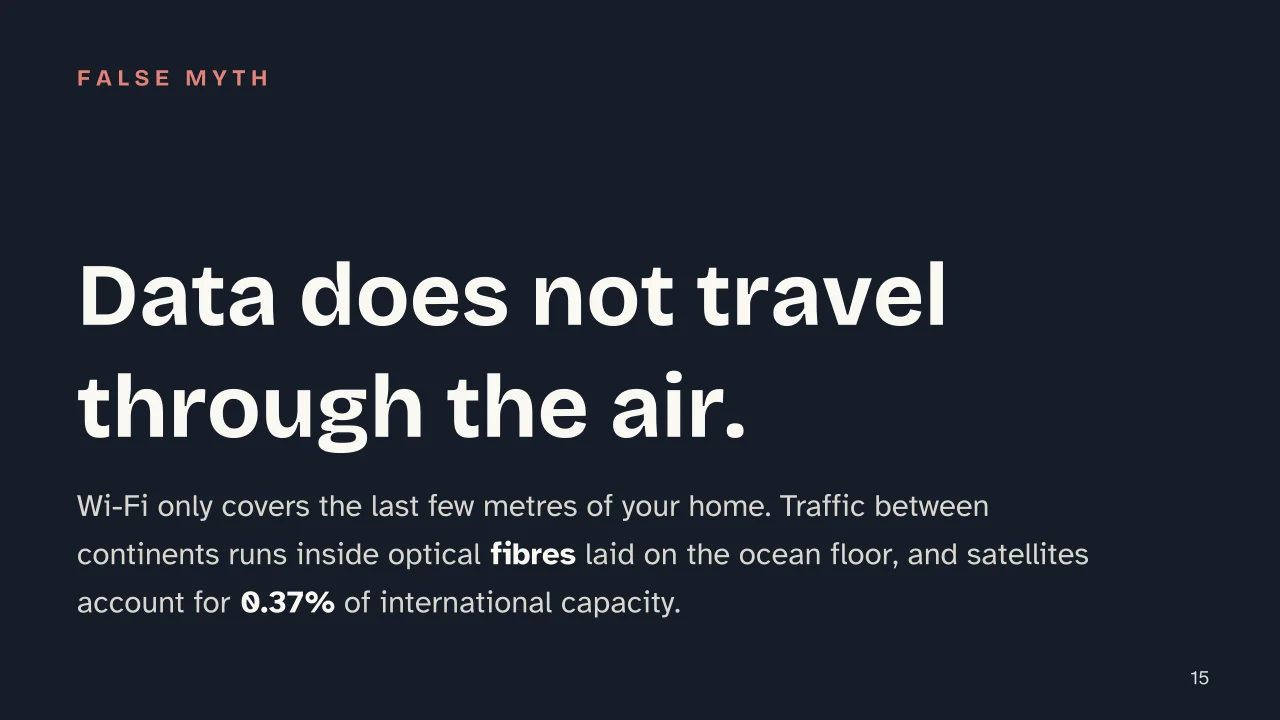
    And where does it physically go? Not through the air. Traffic between continents runs inside optical fibres resting on the seabed: in early 2026 TeleGeography counts over 1.5 million kilometres of them in service, with more than 600 cables active or planned. Wi-Fi is only the last stretch, the one between your sofa and the router.

    Addresses: who you are, in numbers

    For a packet to reach somewhere, that somewhere needs an address. This is the IP address, and its definition sits in a technical document from September 1981, RFC 791, which describes an address 32 bits long: the four dot-separated numbers you have probably seen, something like 192.0.2.172.

    Thirty-two bits looked enormous in 1981. With billions of connected devices they no longer suffice, hence IPv6, defined in RFC 8200 in 2017: 128-bit addresses, designed, the specification says, to support a far greater number of addressable nodes and more levels of addressing hierarchy. The two versions have coexisted for years.

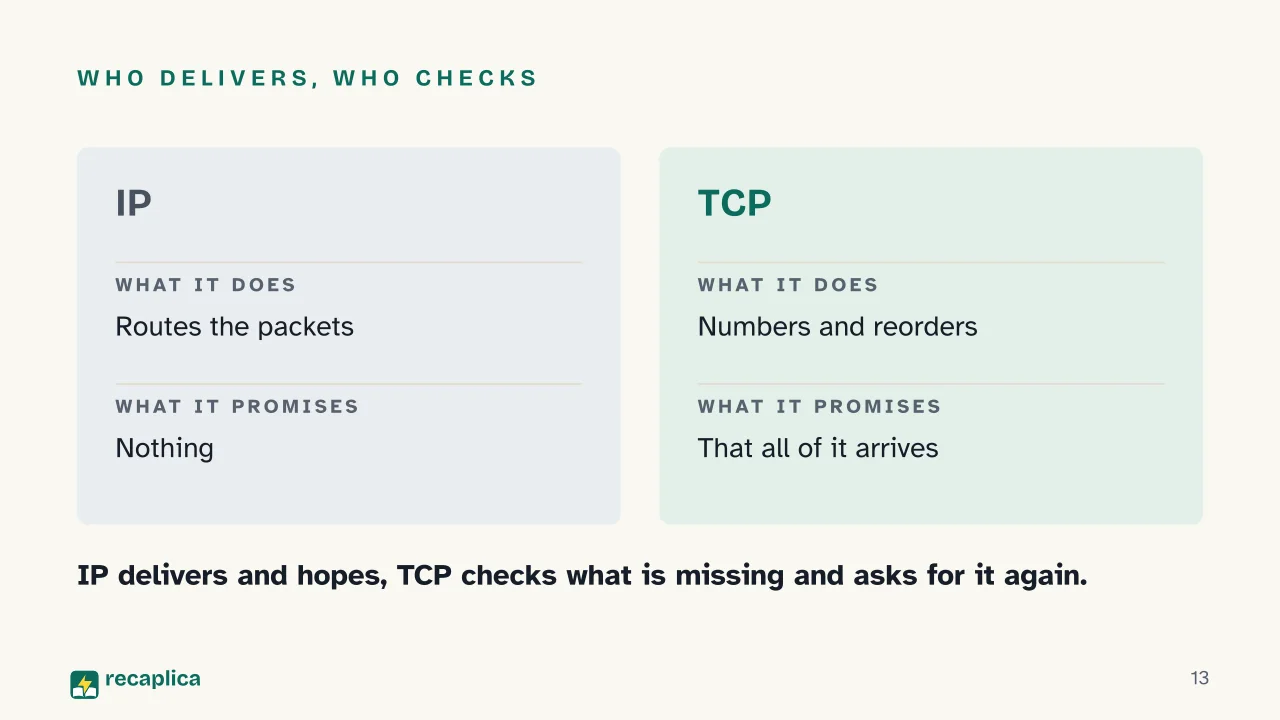
    One detail in RFC 791 surprises first-time readers: IP openly states that it does not provide a reliable communication service. No delivery acknowledgements, no error checking on the data itself. It delivers and hopes. This is not an oversight: IP does one job, routing, and leaves the rest to the machines at either end.

    DNS: from names to numbers

    Nobody remembers numeric addresses, and indeed we do not use them. DNS (Domain Name System) is the phone book that translates a name such as recaplica.com into the matching IP address. When you type an address, the first thing your device does is ask that question.

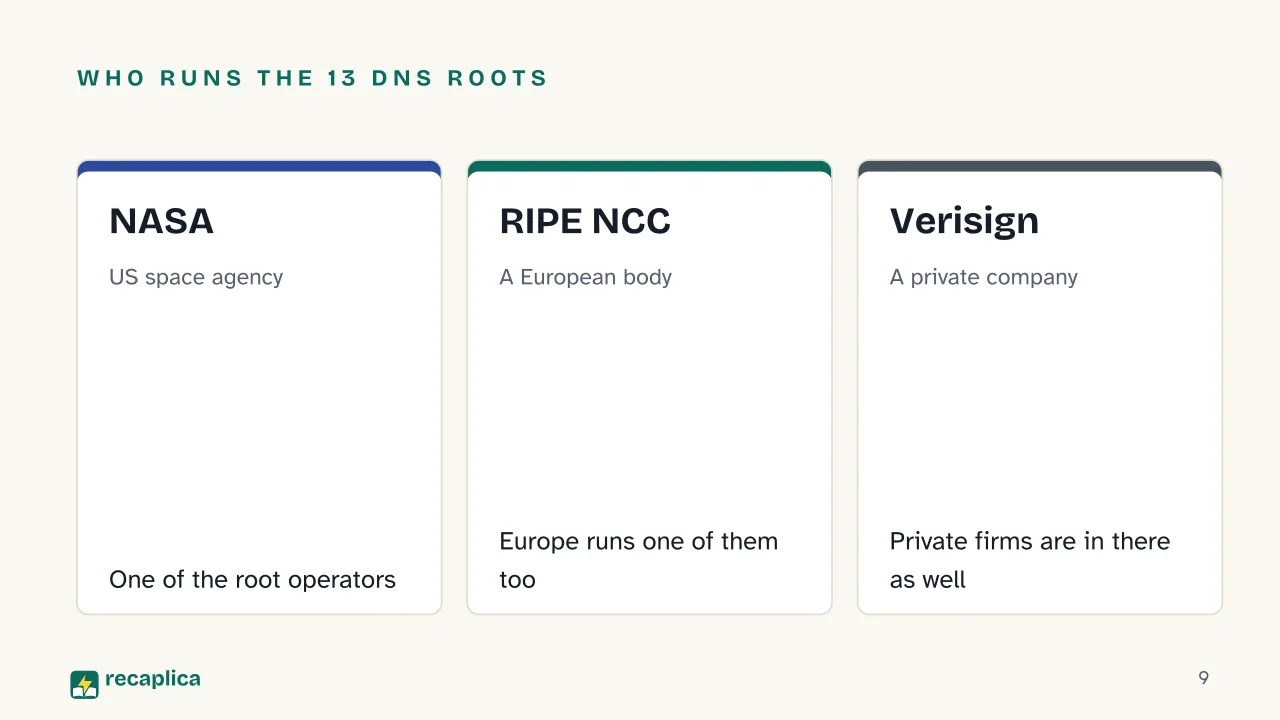
    The book is organised in levels, and at the top sit the root authorities: the DNS is configured with 13 of them, identified by the letters A to M. But they are not thirteen computers locked in a room: each letter stands for a cluster of servers scattered across dozens of countries, all answering at the same address. The organisations running them, as the IANA listing shows, have little in common with each other: NASA, the US Army, the University of Maryland, Europe’s RIPE NCC, ICANN, private companies such as Verisign.

    Packets: a message that travels in pieces

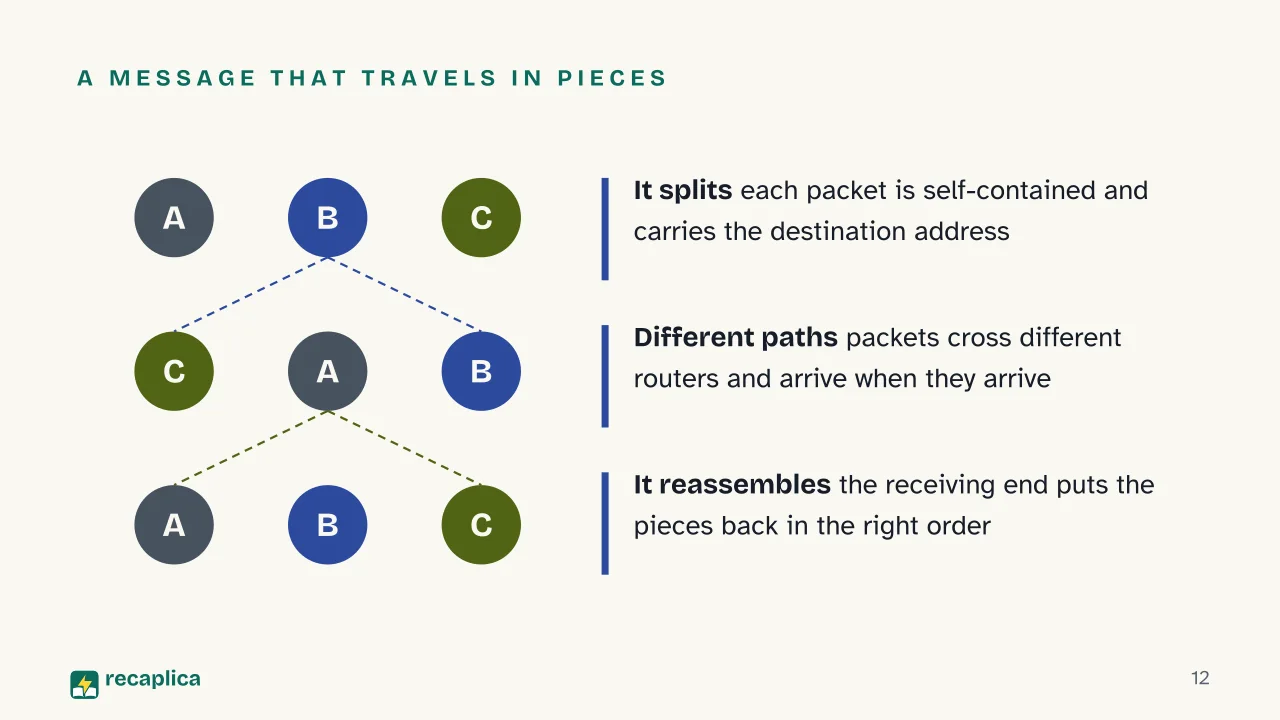
    Here comes the idea that changed telecommunications. In traditional telephony, talking to someone meant opening a dedicated circuit: a line reserved for the two of you for the whole call. The internet does the opposite. The message is split into packets, each self-contained, each carrying the destination address. The packets leave, cross different routers, may even follow different paths, and arrive when they arrive.

    It is a sturdy method: if a line goes down, later packets take another way without anyone having to place the call again. Which way is decided by routers applying a routing algorithm, a precise procedure that picks the next hop at every step.

    That leaves the earlier problem: if IP guarantees nothing, how does a photo arrive intact? TCP handles it. Sitting above IP, it numbers packets on departure, checks on arrival what is missing, requests the lost pieces and puts everything back in order before handing the result to the application. The pair is called TCP/IP and has an official birthday: RFC 801, from November 1981, set the goal of moving the whole ARPANET onto these protocols by 1 January 1983, and the deadline held. Earlier still, on 29 October 1969, two ARPANET computers exchanged the first message ever sent over the network. It was meant to be the word login: the “l” and the “o” got through, then the system crashed. The network’s first message was, in effect, lo.

    Practical example: sending a photo by message is like posting a book one page at a time in separate envelopes. IP is the postal service that delivers the envelopes; TCP is the person at the other end checking the numbering, asking again for the pages that never showed up and putting the book back together in the right order.

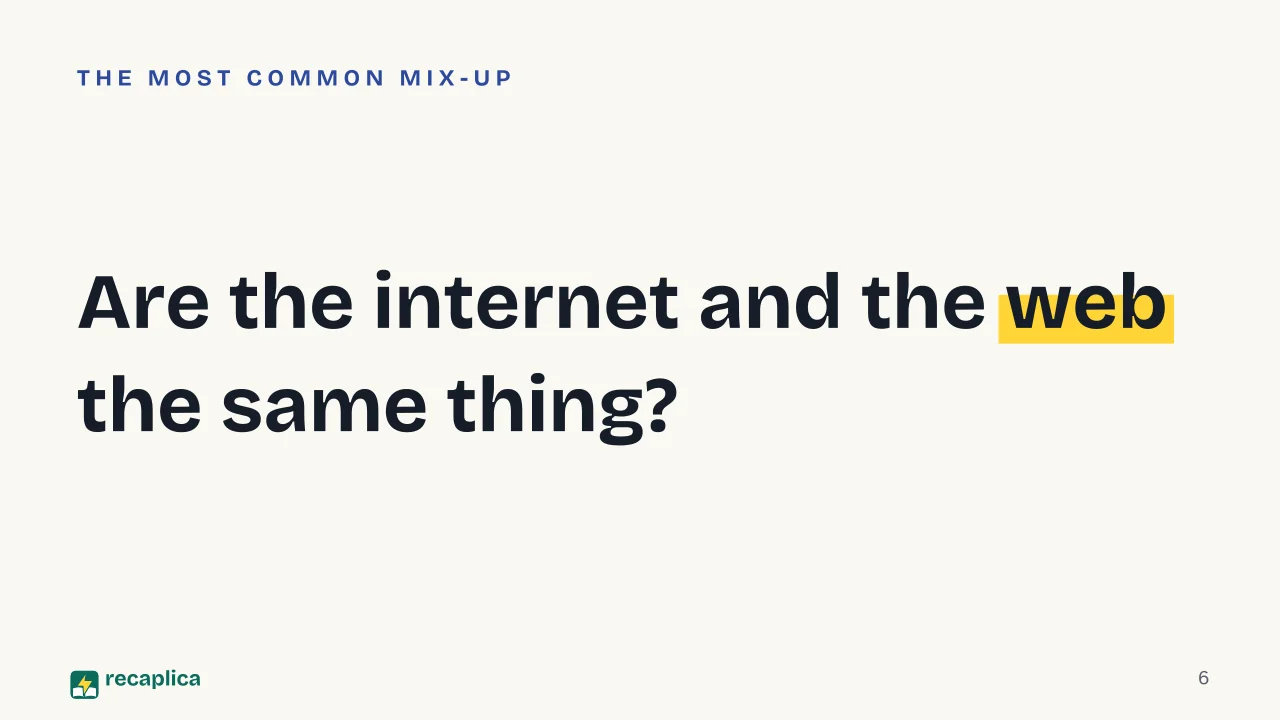
    The internet is not the web

    This is the most widespread confusion of all, and four lines clear it up.

    InternetWeb
    What it isThe infrastructure connecting networksA service running on top of it
    Made ofCables, routers, modems, IP/TCP protocolsPages, links, browsers, the HTTP protocol
    BornFirst message in 1969Early 1990s
    Also used forMail, messaging, video calls, updates, browser or notPages and applications you open in a browser

    When an app uses a generative AI model or a machine learning service, the computation happens on remote servers reached over this same infrastructure: packets, routers, IP addresses. The service on top changes, the transport underneath does not.

    Why it holds up

    Put the pieces together and the founding choice becomes clear: keep the centre simple and dumb, and make the edges smart. Routers do not know what they are carrying and promise nothing; the machines at the ends check what arrived and ask again for what is missing. It sounds like a surrender. It is actually the reason why the same infrastructure that in 1969 connected two ARPANET computers now carries video calls, maps and streaming without ever having been rebuilt from scratch.

    Slide deck

    Slides ready to download and make your own in PowerPoint or Google Slides, with speaker notes. Pick the Flash cut or the Full one.
    Slide 1 of the presentation on How the internet works: How the internet worksSlide 2 of the presentation on How the internet works: How many networks does one page cross?Slide 3 of the presentation on How the internet works: What we will coverSlide 4 of the presentation on How the internet works: Chapter 01: A network of networksSlide 5 of the presentation on How the internet works: Wi-Fi · The router · The carriersSlide 6 of the presentation on How the internet works: Are the internet and the web the same thing?Slide 7 of the presentation on How the internet works: Chapter 02: Addresses and namesSlide 8 of the presentation on How the internet works: The IP address, in two versionsSlide 9 of the presentation on How the internet works: Who runs the 13 DNS roots: NASA, RIPE NCC, VerisignSlide 10 of the presentation on How the internet works: Chapter 03: The journey of a requestSlide 11 of the presentation on How the internet works: In under a secondSlide 12 of the presentation on How the internet works: A message that travels in piecesSlide 13 of the presentation on How the internet works: Who delivers, who checksSlide 14 of the presentation on How the internet works: Chapter 04: Where it really runsSlide 15 of the presentation on How the internet works: Data does not travel through the air.Slide 16 of the presentation on How the internet works: What is the internet, technically speaking?Slide 17 of the presentation on How the internet works: And now, the review
    Flash10 slidesThe essential thread, to present in classFull17 slidesEvery chapter and the deeper detail

    Common myths

    • ✗ Myth The internet and the web are the same thing.

      ✓ Reality The internet is the infrastructure connecting computers; the web is one of the services built on top, the one made of pages and links. A video call, email or an app update travel over the internet without touching the web at all.

    • ✗ Myth Data travels through the air, by satellite or 'in the cloud'.

      ✓ Reality Wi-Fi only covers the last few metres of your home. The bulk of intercontinental traffic runs inside optical fibres laid on the ocean floor: according to the US FCC, satellites account for just 0.37% of international capacity.

    • ✗ Myth Somewhere there is a switch that turns the internet off.

      ✓ Reality There is no single centre: these are independent networks agreeing on shared protocols. Some functions are coordinated — names and addresses are handled by IANA and ICANN — but nobody runs the whole thing, which is why a local outage does not stop the rest of the world.

    Mind map

    Drag the background to move around and the nodes to reposition them; use − and + to collapse and expand branches.
    Customize
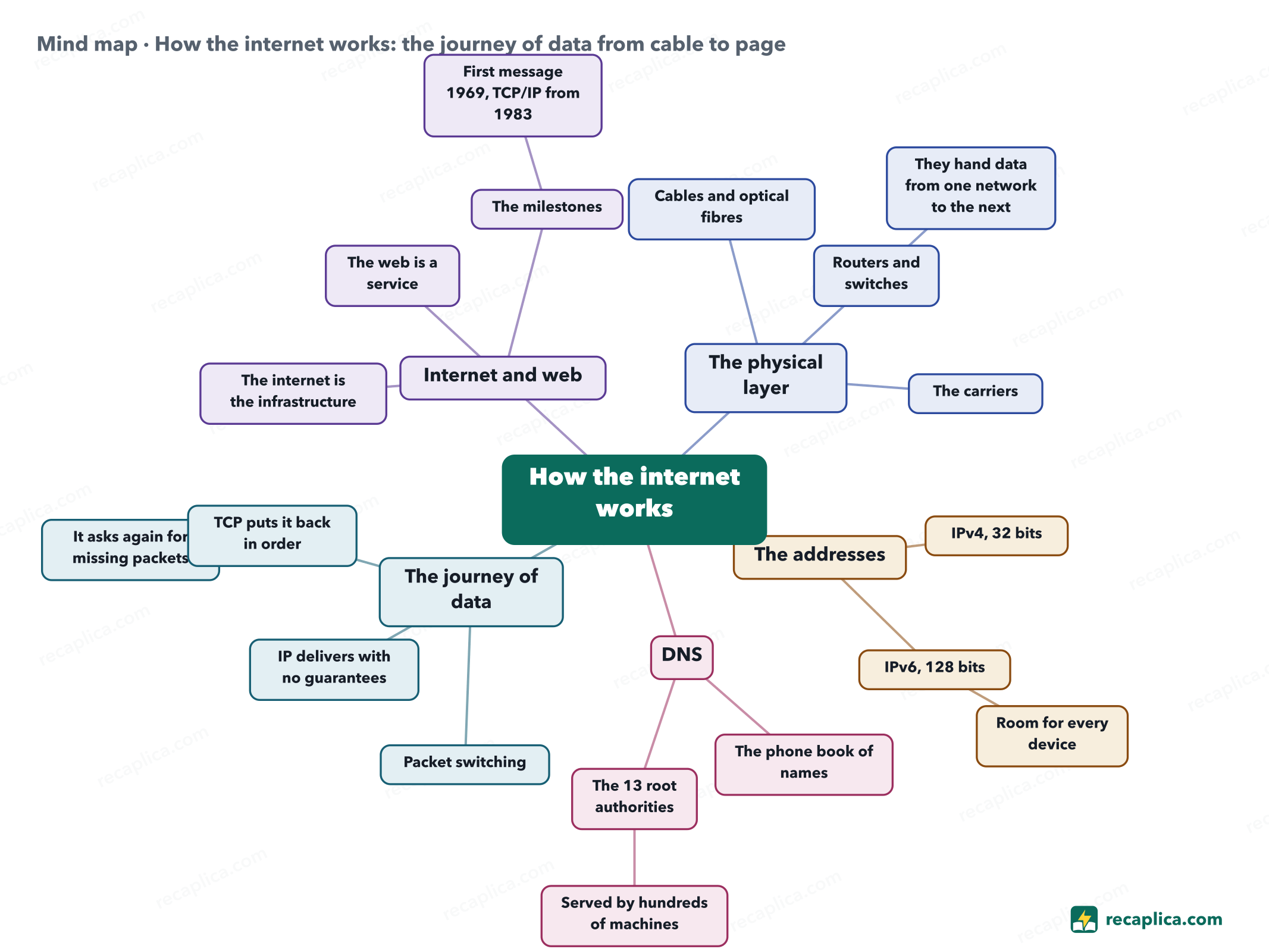
    Mind map: How the internet works: the journey of data from cable to page
    • How the internet works
      • The physical layer
        • Cables and optical fibres Over 1.5 million km under water.
        • Routers and switches
          • They hand data from one network to the next
        • The carriers Networks that interconnect by choice.
      • The addresses
        • IPv4, 32 bits Four numbers separated by dots.
        • IPv6, 128 bits
          • Room for every device
      • DNS
        • The phone book of names From a name to a numeric address.
        • The 13 root authorities
          • Served by hundreds of machines
      • The journey of data
        • Packet switching The message travels in pieces.
        • IP delivers with no guarantees
        • TCP puts it back in order
          • It asks again for missing packets
      • Internet and web
        • The internet is the infrastructure
        • The web is a service Pages and links over HTTP.
        • The milestones
          • First message 1969, TCP/IP from 1983

    Quiz: test yourself

    Answer the questions to check what you have learned: you get instant feedback and a short explanation.

    Grade 0/10 0/5
    1 What is the internet, technically speaking?

    The internet is infrastructure: independent networks linked together that understand each other because they use the same rules. Web pages are a service riding on top, not the network itself.

    2 What does DNS do?

    DNS is the internet's phone book: your device asks 'what is the address for this name?' and gets back the number to contact. Without it you would have to remember strings of digits instead of names.

    3 How does data travel from one computer to another?

    This is packet switching: the message is divided, each piece carries the destination address and finds its own way. If one path breaks, later packets take another.

    4 Why was the move from IPv4 to IPv6 needed?

    IPv6 takes addresses from 32 to 128 bits precisely to support far more addressable nodes and more levels of addressing hierarchy, as the RFC 8200 specification states. Speed is a separate matter.

    5 True or false: the IP protocol guarantees that every packet reaches its destination.

    IP does its best and no more: the 1981 specification says plainly that it provides no reliable communication service. TCP, the layer above, checks what arrived and asks again for the missing pieces.

    Answers: 1-A · 2-B · 3-C · 4-B · 5-B

    Flashcards

    Tap the card to flip it and check whether you remember the answer, then move to the next one.

    1 / 8

    Explain it in your own words

    The ultimate test: if you can explain it in simple words, you've truly understood it. Write your explanation, then compare it with the Recap.

    Your explanation is saved only on this device.

    The internet is a network of networks: independent networks — homes, schools, companies, carriers — that can talk to each other because they agreed on the same rules, the protocols. Anything you send is broken into packets, each carrying the address of its destination, and routers bounce them from network to network until they arrive. DNS translates the names we remember into the numeric addresses machines actually use, and underneath it all run physical cables, most of them lying on the ocean floor.

    Frequently asked questions

    What exactly happens when I type an address in my browser?

    Your device asks DNS for the numeric address matching the name, then opens a connection to that server and requests the page. The answer comes back split into packets that cross your provider's routers and those in between; the browser puts them back in order and draws the page. Usually in well under a second.

    What is the difference between the internet and the web?

    The internet is the physical and logical network connecting computers; the web is the set of pages and links you browse over the HTTP protocol. The web was born more than twenty years after the network that hosts it, and it is only one of its services: mail, messaging and streaming use others.

    Who is in charge of the internet?

    Nobody owns it outright. The networks belong to carriers, universities, companies and public bodies that choose to interconnect. Some coordination duties — domain names, address allocation, technical standards — sit with bodies such as ICANN, IANA and the IETF, which publish shared rules but do not run the traffic.

    What happens if a submarine cable breaks?

    Traffic is rerouted along other paths, which is why almost nobody notices: the International Cable Protection Committee counts roughly 200 faults a year on average. Real trouble starts when a region depends on very few cables and loses them together.

    Does my IP address reveal where I live?

    Not precisely. An IP address identifies a point on the network and allows a rough guess at region and provider, not your street address. Many providers also hand out addresses that change over time or are shared between several customers.

    Sources

    • MDN Web Docs (Mozilla) — How does the Internet work?
    • IETF — RFC 791, Internet Protocol (September 1981)
    • IETF — RFC 8200, Internet Protocol version 6 (July 2017)
    • IETF — RFC 801, NCP/TCP Transition Plan (November 1981)
    • IANA — Root Servers
    • TeleGeography — Submarine Cable Frequently Asked Questions
    • UCLA — The Day the Infant Internet Uttered its First Words

    Every Recap goes through an independent review before publication.

    Every evening, the day's new Recaps on our Telegram channel. Join the channel →

    Keep learning

    • Technology OOP: What Is Object-Oriented Programming Object-oriented programming, or OOP, builds software around objects that bundle data and the functions that act on it, instead of keeping the two apart. Every object comes from a class, the blueprint that fixes its state and behavior, the same way one bicycle model fixes what every bike built from it can do. Documentation across languages keeps circling back to four recurring ideas — encapsulation, inheritance, polymorphism, and abstraction — though not every source tells the story the same way. Java, Python, and C++ each implement OOP with their own mechanics, and none of the sources treats it as the only way to write software. Read the Recap →
    • Technology DBMS: What It Is, the Main Types, and Real Examples A DBMS, short for database management system, is the software that lets people create, query and update the data in a database without having to know how that data is physically stored. Compared with spreadsheets or scattered files, it keeps data in one place and more consistent, cutting down on duplication and security gaps. The most common type is the relational model, which organizes data into linked tables and is queried with SQL. Nonrelational, or NoSQL, systems handle more flexible data, and two older models, hierarchical and network, sit alongside an object-oriented model. Read the Recap →
    • Technology ER Diagram (Entity-Relationship Diagram): What It Is and How to Build One An entity-relationship diagram, or ER diagram, is the map database designers draw before building a database: it shows which objects need tracking (entities), what information describes them (attributes) and how they connect to each other (relationships). It's a conceptual design step, not the finished database schema — the translation into real tables comes later. The two most common notations are Chen, which uses rectangles and ovals, and Crow's Foot, which uses lines ending in circles, bars and crow's feet to show how many instances connect. A relationship can be one-to-one, one-to-many or many-to-many, and each type has its own way of being drawn. Read the Recap →

    recaplica

    Clear in 30 seconds, yours in 10 minutes.

    Recaps Mind maps Request a Recap Telegram channel Mind map maker Our method About Privacy & cookies Legal notes & terms of use

    © 2026 Recaplica · A project by Curi S.r.l. — VAT IT05472000750

    Statistics, only if you say so

    To learn which Recaps help most we would use Google Analytics, with aggregate, anonymous data. It starts only with your OK, and you can change your mind anytime. Privacy policy